
CAT4OM helps operators manage group lifecycle, radio lifecycle, network-aware control, supported power operations, authentication, observer status, and station monitoring from one place.
Control station lifecycle from one place
CAT4OM helps manage not only live CAT commands, but also the operating lifecycle of radios and groups.
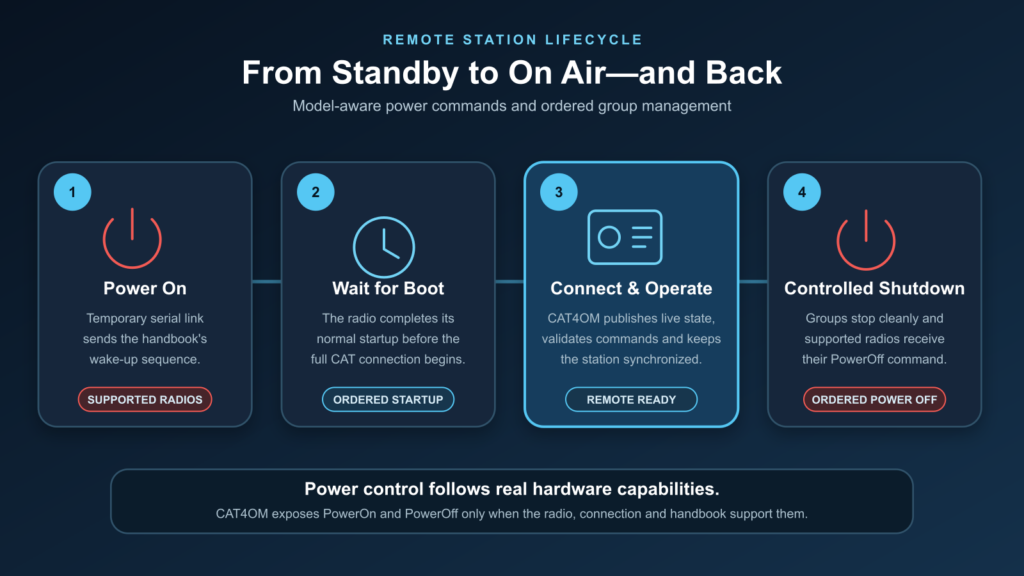
From the CAT4OM UI or through the Management API, an operator or integration can start and stop groups, start and stop individual radios, monitor connection health, reconnect disconnected radios, and trigger supported power operations.
This helps operators bring only the required part of the station online and shut it down cleanly when finished. The same lifecycle model is available to integrations through the Management API, making it possible to build monitoring tools or station-control panels around CAT4OM.
Radio power commands
Some radio models support remote power-on or power-off through their CAT protocol. When the selected radio handbook declares these commands, CAT4OM can expose them as part of the station control model.
Power features can include:
- power on;
- power off;
- startup delay;
- connection state tracking;
- automatic reconnection;
- status reporting while a radio is starting, stopped, disconnected, or unavailable.
Availability depends on the selected radio model and its supported command set.
Local-first, LAN-capable
CAT4OM can be used entirely on the local station computer, which is the simplest and most common layout. In that mode, the radio, CAT4OM service, CAT4OM UI, logger, and digital-mode software can all run on the same machine.
For more advanced stations, CAT4OM can also be configured for trusted-network access. This allows one computer to host the radio connections while another machine on the LAN provides the operator UI, monitoring, or external integrations.
That flexibility is useful for stations where the radio hardware is located near antennas, amplifiers, filters, or USB interfaces, while the operator works from a quieter or more convenient control position.
Authentication and observer status
CAT4OM can use separate Management and Control password protection, with support for password change or removal according to the station configuration.
Not every client needs command authority. A status page, dashboard, or monitoring tool may only need to observe whether the station is online, which group is running, which radio is connected, and what frequency or mode is active.
CAT4OM supports observer-style connections for these scenarios. Monitoring can be present without becoming another source of CAT commands, which keeps the station easier to manage and safer to operate.
Web status page
The CAT4OM service exposes a local web status page for quick monitoring.
Displayed information includes:
- service status;
- group status;
- radio status;
- frequency;
- mode;
- connection state;
- observer-safe station state.
Useful for unattended and semi-remote workflows
CAT4OM can support workflows where the operator wants more control over station startup and recovery:
- bring a group online before operating;
- start a compatible radio from the management surface;
- monitor whether a radio is connected and responsive;
- reconnect disconnected radios;
- stop a group cleanly when finished;
- expose status to a monitoring page or integration.
Use CAT4OM to keep station startup, connection recovery, power control, and monitoring in one predictable place.